
Wallet Screen Tour
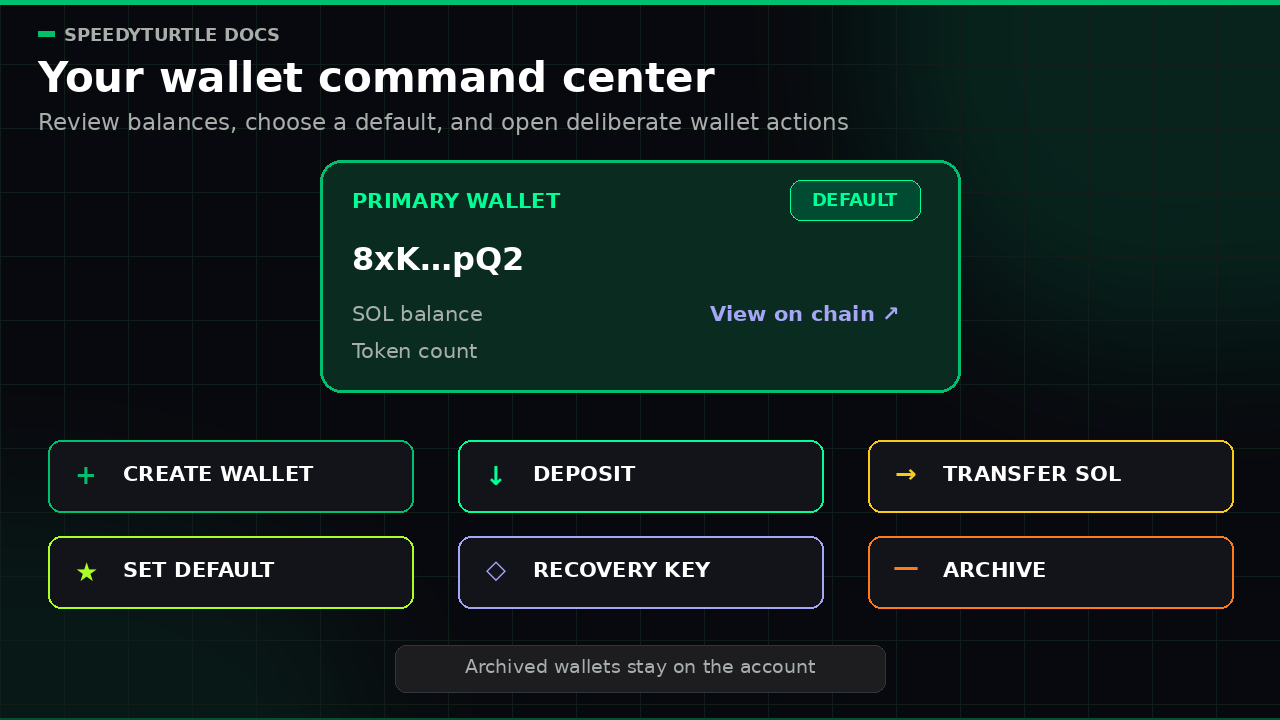
The Wallet Screen gives you a quick view of the wallets connected to your account.
Your first wallet is created automatically when you sign up on the platform.
What you can see
Each wallet can show:
- The wallet address
- The wallet name or label
- The current
SOLbalance - The number of tokens in the wallet
- A
View on chainlink
The automatically created wallet appears here as soon as your account is ready.
Main actions
From this screen, you can:
- Create a new wallet
- Set a wallet as the default wallet
- Archive or unarchive a wallet
- Deposit funds
- Transfer SOL
- Open the recovery key for a wallet
Default wallet
The default wallet may be preselected in supported parts of the app.
You can change the default wallet at any time from the Wallet Screen.
Archived wallets
Archived wallets stay on your account.
They are removed from active day-to-day use in supported wallet selectors.
You can unarchive a wallet at any time.
Warning
A wallet cannot be archived while it is set as the default wallet. Choose a different default wallet first.
Documentation maintained by SpeedyTurtle Labs.