
Strategy Hub Overview
The Strategy Hub is where you build and run automated trading strategies on SpeedyTurtle.
Instead of watching the market yourself, you describe what should happen — when to act, what to check first, how to buy, and how to exit — and the engine runs that strategy for you around the clock.
The Strategy Hub covers the automated side of SpeedyTurtle:
- Sniping new launches and migrations
- Copy trading wallets you choose to follow
- Monitoring wallets and getting alerts without trading
- Managing positions with take-profit ladders, stop losses, time exits, Moonbags, copied-wallet sells, and Pro dev-sell reactions
For one-off manual buys and sells, use the Trade screen in the Telegram bot instead.
Warning
Automated strategies can trade without you watching each action and can produce rapid or total losses. Limits, protective exits, risk labels, and Emergency Stop reduce some operational risks but do not guarantee execution, fill price, or profitability. Review the Risk Disclosure before activating a strategy.
How to open the Strategy Hub
- Open the SpeedyTurtle bot in Telegram and go to Home.
- Tap
🚀 Open Strategy Hub.
The Strategy Hub opens as a Telegram Mini App — a full app inside Telegram. It works wherever Telegram does, so you can build and monitor strategies from your phone or from Telegram on your desktop. The same app is also available as a web app.
Info
The Strategy Hub is one app that adapts to your screen. On a phone it uses a bottom tab bar and slide-up panels; on a wide screen it uses a sidebar with a list-and-detail layout. The features are the same on both.
The screens
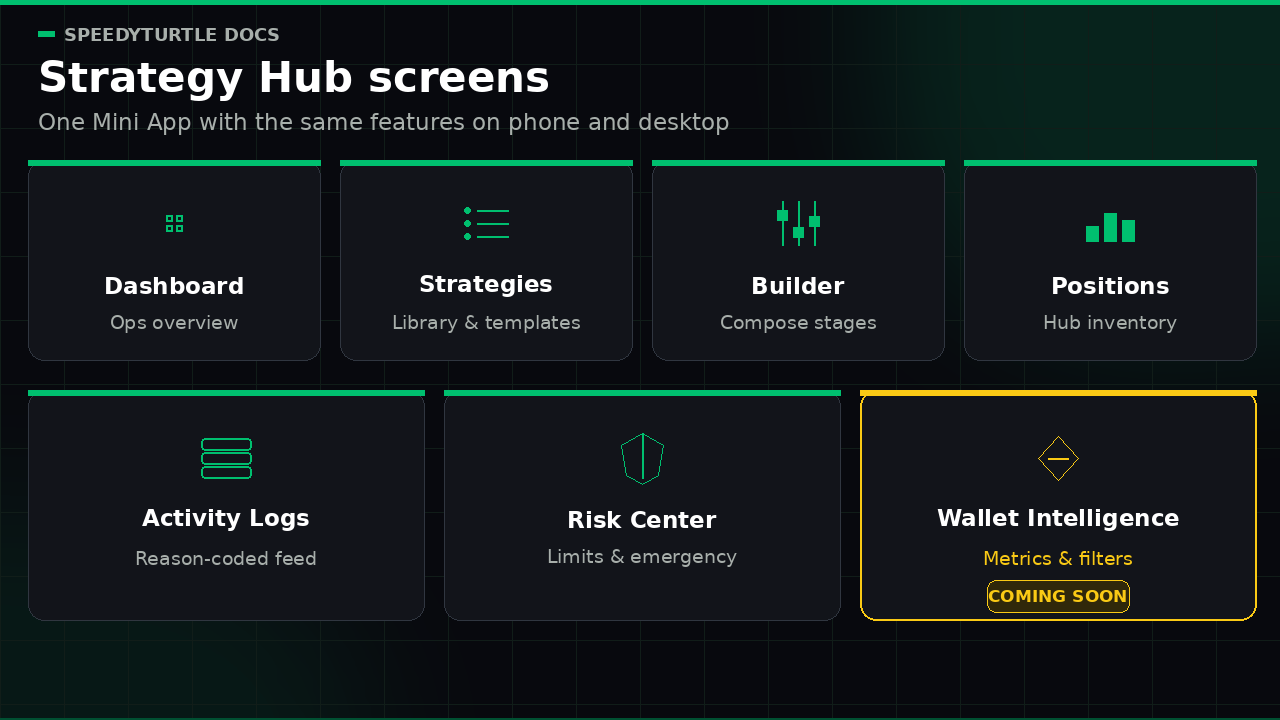
The Strategy Hub is organized into a few screens:
| Screen | What it is for |
|---|---|
| Dashboard | An operational overview of managed-wallet balance, open Hub positions, active strategies, pending/unknown orders, and recent activity |
| Strategies | The list of your strategies plus the template gallery for creating new ones |
| Strategy Builder | The step-by-step builder where you compose and edit a strategy |
| Positions | A factual inventory of Strategy Hub positions, with exact manual sell requests |
| Activity Logs | Recent, reason-coded operational activity with server filters and older-page loading |
| Risk Center | Factual limit counters and account-wide Emergency Stop and Close All controls |
| Wallet Intelligence | A visible Coming Soon placeholder; it does not load data or provide usable filters in V1 |
Each screen has its own page in this section.
The Dashboard
The Dashboard is the first screen you see.
It shows exactly four top-level operational cards:
- Total managed-wallet balance — native SOL across the complete set of non-archived managed wallets, only when every required wallet snapshot is present, complete, and fresh
- Open Hub positions — the account-wide authoritative open count
- Active strategies — strategies whose lifecycle is Active after runtime installation
- Pending / unknown orders — unresolved execution work that still needs a terminal result
The Dashboard also contains recent-activity and recent-strategy previews, Emergency Stop state, the static Speedy Engine label 1.5 - Veloce, and the entry point for creating a strategy. A failed or delayed source is shown as unavailable rather than as zero, empty, healthy, or clear.
Info
The Dashboard does not show numeric realized P&L, win rate, exposure, or 24H/7D/30D performance in V1. Those values require separate authoritative full-history and valuation contracts.
The recent activity preview
Rows may include buys, sells, recent diagnostic skips, alerts, or system events such as a strategy pause or Campaign completion.
Tap a row to inspect its available reason and identities. For example, a skipped trade might explain that a required input was unavailable, so the strategy deferred instead of guessing.
The preview is not a promise that every decision or every intermediate provider/blockchain state appears. High-volume diagnostic skips are best-effort recent data; user-sensitive lifecycle, safety, and financial events have stricter durability requirements. Open Activity & Reason Codes for the paginated Recent Strategy Activity view and its exact scope.
Dashboard Pause all is the same account-wide Emergency Stop as the Risk Center control. It requires sensitive confirmation, freezes every automatic entry and exit, leaves submitted transactions to settle, and preserves explicit manual exits. Lifting the latch does not resume any strategy or replay missed work.
How SpeedyTurtle strategies think
A few principles run through every Strategy Hub screen. They are worth knowing up front.
Visible outcomes explain what is known
Activity entries carry a stable kind, available identities, and a machine-readable reason code with a public explanation where applicable. Missing or incomplete data is reason-coded unavailable rather than turned into a safe-looking value. An absent Activity row is not proof that nothing happened; use position and order state for authoritative outcomes.
Strategies have a lifecycle
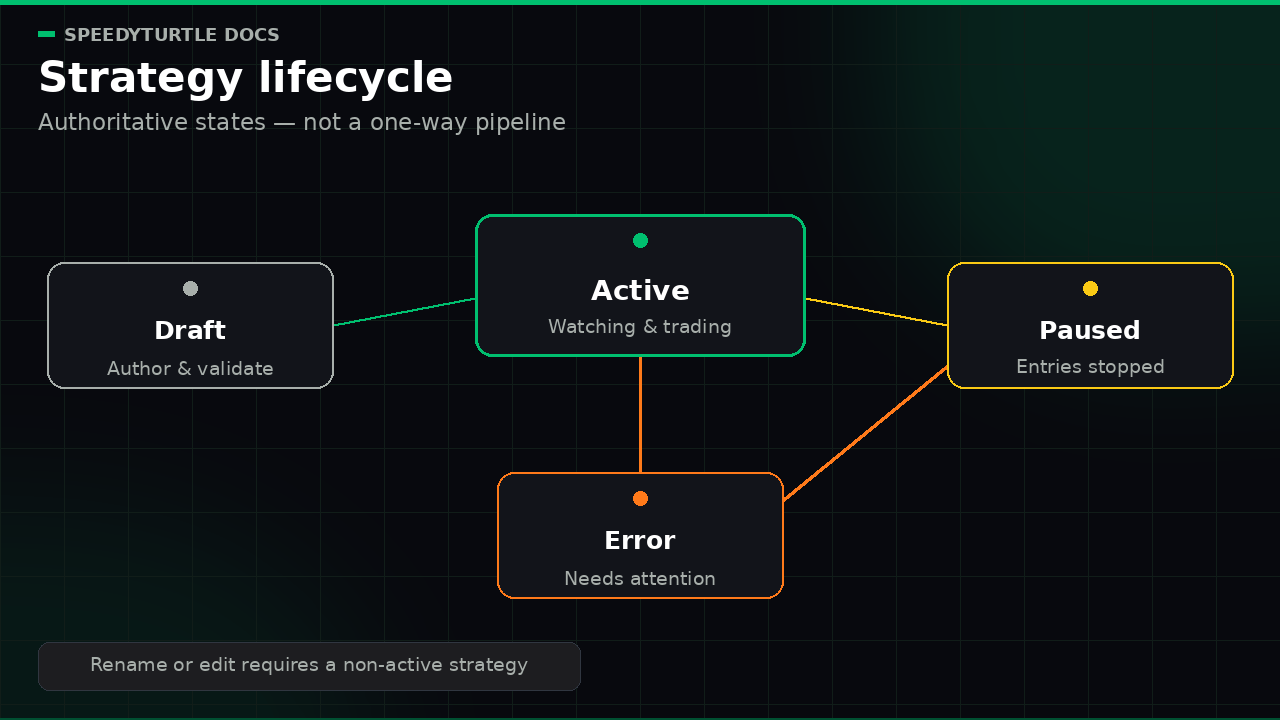
A saved strategy has an authoritative Draft, Active, Paused, or Error lifecycle. Position rows use authoritative OPEN, QUARANTINED, or EXTERNALLY INVALIDATED state and factual successful-fill counts. V1 does not infer Monitoring, Partial exit, or Exit pending from client timing or fill count.
Sensitive actions are confirmed explicitly
Powerful actions such as a manual position sell, Pause all, and Close All use explicit confirmation. Retryable manual-sell and Close All operations use stable request identities. Confirmation starts or submits a request; it never proves submission, finalization, fill, proceeds, complete Activity, or notification delivery. Position and operation state report the reconciled result. Individual Pause entries is distinct from account-wide Emergency Stop: it stops new entries for that strategy while existing position protection continues.
Risk is always visible
The Risk Center shows factual allocation, open-position, consecutive-loss, and Campaign counters. Its categorical Limit Status comes from the single closest visible applicable limit. It is not a numeric risk score, exposure model, probability, or profitability forecast.
What you need to get started
- A SpeedyTurtle account (see Signing Up)
- At least one funded wallet
- A subscription plan — Minimum includes the available core authoring and trading capabilities, while Pro unlocks features labelled Pro in the app, including Campaign Mode, the Dev launch trigger / Dev Wallet template, rolling count filters, and the Dev-sell exit. Wallet Intelligence remains Coming Soon for every plan in V1. See Plans and Pricing.
Next steps
- Start from a ready-made strategy in Strategy Templates
- Learn the building blocks in Strategy Builder
- Understand your safety net in Risk Center & Campaign Mode
Documentation maintained by SpeedyTurtle Labs.