
Positions Screen
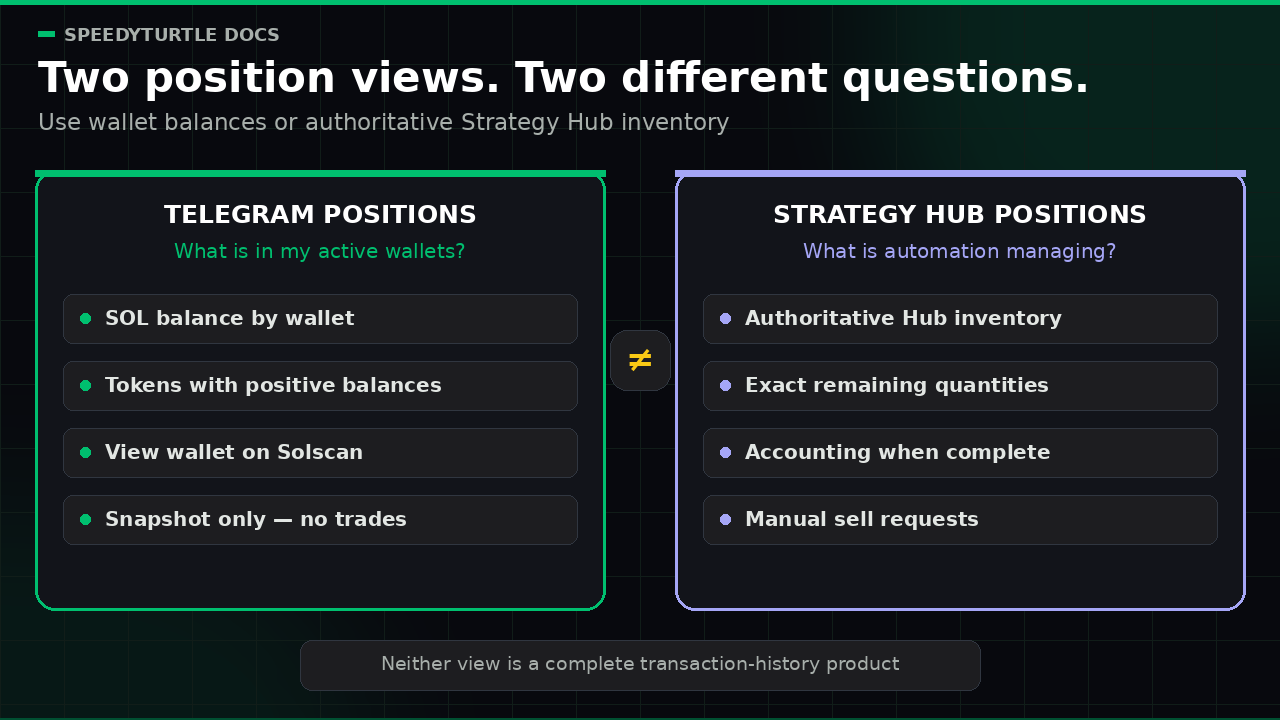
The Positions screen shows balances across your active wallets.
Use it for a quick portfolio snapshot in Telegram.
It does not place trades.
Info
This screen is a balances snapshot. To see the factual inventory opened and managed by your automated strategies, including exact remaining quantities, quote-labelled accounting when complete, and manual sell requests, open Positions in the Strategy Hub. The Strategy Hub screen is not a live portfolio valuation or a complete transaction-history view.
Open this screen
You can open this screen in two ways:
- From Home, tap
💹 Positions. - Send
/positionsin chat.
What you can do
You can:
- review balances across active wallets
- check
SOLbalances for each wallet - see tokens with a positive balance
- open each wallet on Solscan
Wallet sections
Each active wallet gets its own section.
A wallet section can show:
- the wallet address
- the
SOLbalance - a
Tokensheading - tokens with a positive balance
- a
View on chainlink
A wallet can still appear while its balances are loading.
Empty and syncing states
No active wallets
If there are no active wallets, you see:
No active wallets yet. Add or restore a wallet in Wallets to start tracking positions.
Wallet still syncing
If a wallet is still loading, you see:
Portfolio data is still syncing for this wallet. Refresh in a moment.
Buttons
🔄 Refreshreloads the screen with the latest available balance data💤 Closecloses the current message🏡 🏡 🏡returns to HomeView on chainopens the wallet on Solscan
Documentation maintained by SpeedyTurtle Labs.